Data Privacy vs. Data Security: What's the Difference and Why It Matters
Two scenarios, same building. In one, a retailer's marketing team keeps a tidy spreadsheet of customer birthdays and sizing preferences. The file is encrypted, access is logged, backups run nightly. It is also a file nobody told customers about. In the other, a clinic's patient sign-in sheet sits on a clipboard at reception, visible to whoever walks past. Nothing is hacked. Both are failures, of different kinds.
Data privacy and data security get used as synonyms in meetings, job titles and headlines. They are not synonyms. They answer different questions, belong to different owners, and need different fixes.
What Data Privacy Really Means
Privacy is about the rules you follow when you hold someone else's information. Did we tell people what we were collecting? Did they have a genuine choice? Do we actually need this? Who else gets it? How long do we keep it, and can we delete it if asked?
Privacy is a set of obligations and expectations, and it exists even when nothing goes wrong technically. A company that sells a customer list without clear consent has a privacy problem whether the file was encrypted or not. Laws such as the GDPR in Europe and the growing patchwork of US state privacy statutes mostly regulate this side of the house: notice, purpose, consent, retention, individual rights, and special care for sensitive categories like health or biometric data.
What Data Security Really Means
Security is about protecting data from the wrong people, the wrong changes, and the wrong disappearance. In practice that means confidentiality, integrity and availability: encryption, access control, patching, backups, logging, vendor checks, and an incident response plan someone has actually rehearsed.
Security applies to everything an organization holds, including plenty that is not personal. A ransomware attack that stops a factory line for two days, with no names or emails involved, is a serious security failure and not a privacy failure at all.
Where the Two Overlap
Most of the time they reinforce each other. Encrypting a laptop protects privacy and is a standard security control. Least-privilege access limits who can read a customer record and shrinks the damage a breach can do. Logging shows who touched what, which supports both investigation and accountability.
Two overlaps are worth remembering:
- You cannot honor a privacy right you cannot find. A deletion or access request fails if nobody knows which systems hold the data. Data mapping is privacy work done with security tools.
- Data minimization is the cheapest security control. Every field you never collect is a field that cannot leak, be subpoenaed, or be misused by an employee.
Where They Diverge
This is where the distinction earns its keep. Consider a few cases:
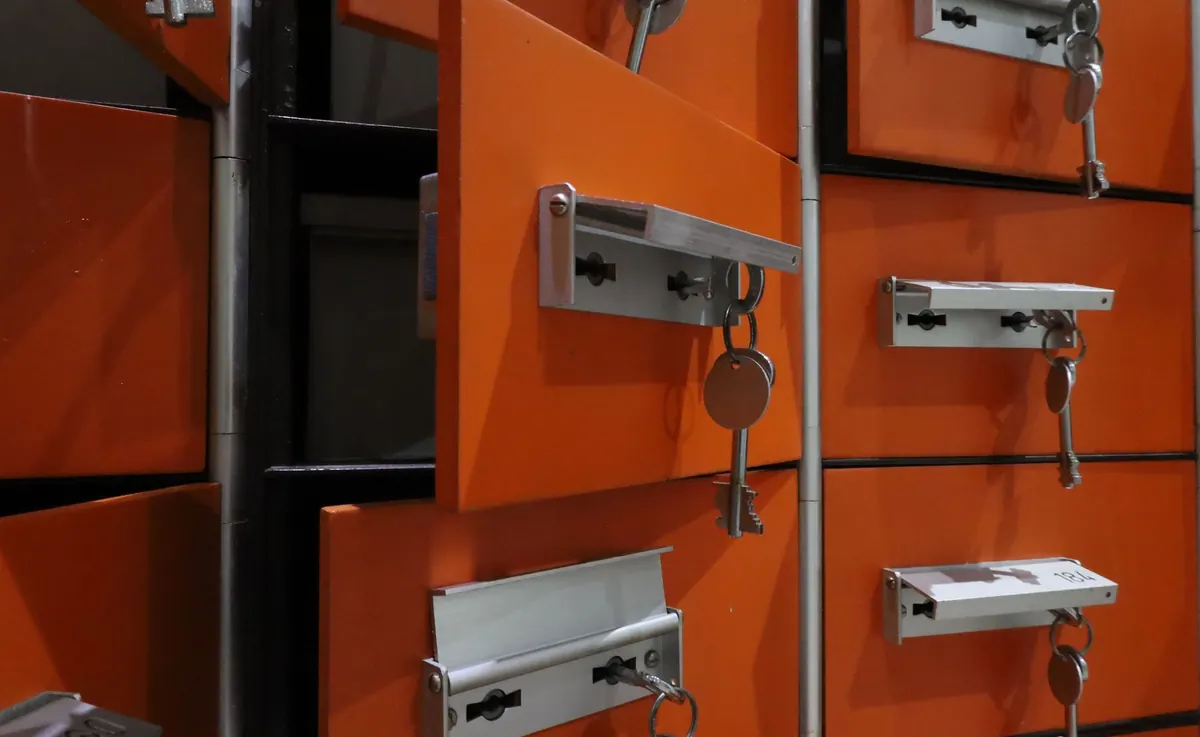
- Strong security, weak privacy. A fitness app encrypts everything, restricts access, and passes audits. It also tracks location every few minutes without a clear explanation and shares the data with advertisers. The vault is excellent. What is inside it should not be there.
- Strong privacy, weak security. A small clinic follows consent rules carefully and explains exactly what it collects, then keeps paper records in an unlocked cabinet. Right intentions, missing protections.
- Security tools that create privacy problems. Employee monitoring software, long log retention, and content scanning all generate new stores of personal data. Ask what the tool records, where it goes, and whether it is proportionate.
- Availability is not privacy. A DDoS attack on a public website can frustrate thousands of people without exposing a single record. Serious security incident, not a data protection one.
Privacy asks what you should do with data. Security asks what you can do to protect it. A good program answers both, in that order.
Five Questions That Show Which Problem You Have
- Did we collect this, and did we explain why? If the honest answer is "not sure," that is a privacy issue.
- Who can read it right now? If the list of people with access is longer than the list of people who need it, that is a security issue, and often a privacy one too.
- How long do we keep it, and how would we delete it? No answer means you cannot honor a deletion request. Privacy problem with a storage bill attached.
- Could an attacker reach it with one stolen password? If yes, it is a security issue. Turn on multi-factor authentication and review admin accounts.
- If this leaked tomorrow, would customers be surprised? Surprise is the loudest signal you have. Trust tends to die on it.
Why the Distinction Matters
Budgets, roles and laws follow the difference. Security spending answers "how do we keep attackers out and systems running." Privacy work answers "should we have this at all, and what did we promise about it." Different specialists, different deliverables, sometimes different regulators.
Confusing the two also delays fixes. A breach usually sets off both conversations at once, and teams that treat them as one conversation end up patching a server while leaving the underlying collection practice untouched. Customers do not separate the two either. They experience one event: someone who should have known better did not. And if you handle regulated data, bring in a qualified privacy lawyer or compliance professional rather than relying on general guidance like this.
A Practical Way to Start
- Pick one system that holds customer data. Write down what is in it, who can see it, and how long it stays. Half a page is enough.
- Turn on multi-factor authentication for every admin account on that system. This week, not this quarter.
- Delete what you do not need. Choose one field nobody uses and remove it at the source, not just from the dashboard.
- Give the rest a shelf life. Set a retention period and a calendar reminder to review it.
- Draft what you would tell customers if the data leaked. If that draft feels uncomfortable, the collection practice is the thing to change.
Privacy and security are partners, not the same person. Treat them separately, fund them honestly, and your users get both the protection they expect and the respect they deserve.
Photo: Melike / Pexels
CCPA vs. GDPR: Key Differences Every Business Needs to Know
The CCPA and GDPR both protect personal data, but they differ in scope, consent models, consumer rights...

How to Create a Strong Password Policy for Your Remote Team
A practical guide to building a password policy remote teams will actually follow, covering password...
About Us